Skip to content
SimulatorsIn3D

Home Planet Gravity Simulator

Planet Gravity SimulatorLaunch a world. Will it orbit, escape or crash?

Drag in space to launch · click a body to select · right-drag or two fingers to turn · wheel or pinch to zoom

About this planet gravity simulator

Planet Gravity Simulator: what happens to a planet you launch?

What happens to a planet if you throw it into a solar system? Drag in space to launch an Earth, a gas giant, a moon, a comet, a star or a black hole. A forecast integrates the future of every body under mutual gravity and tells you plainly whether your world will orbit, escape, crash or be flung around, how long its year is, and whether it could hold liquid water.
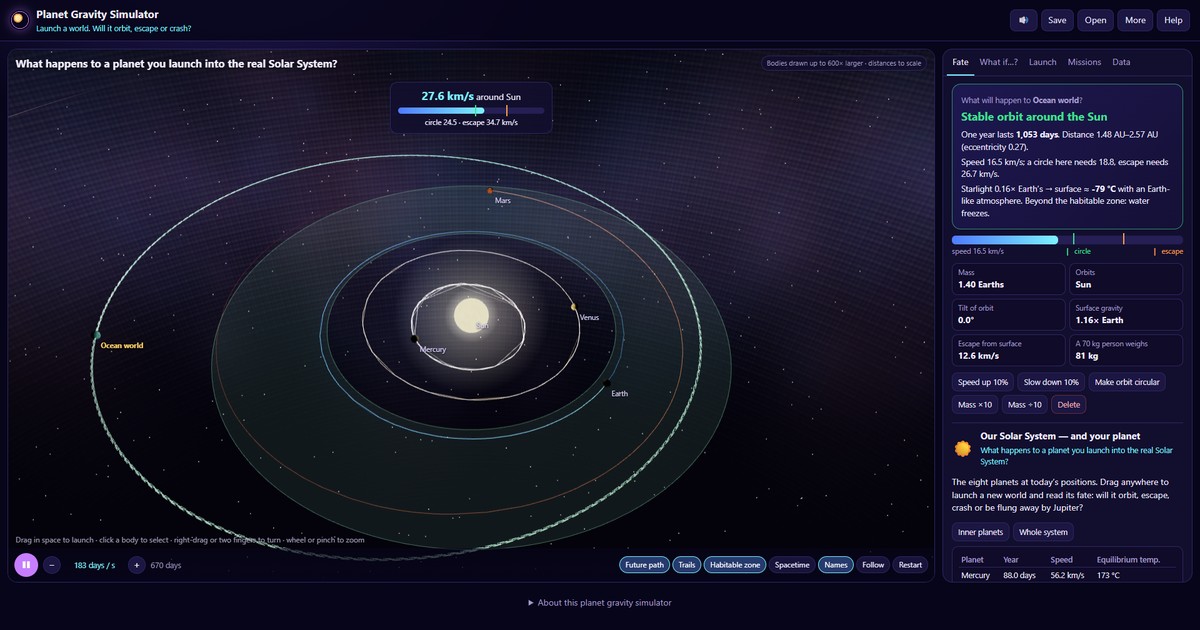
Planet gravity simulator with a launched planet's predicted orbit, the habitable zone and the planets around the Sun

How it works

  1. Launch: drag anywhere in space. The start of the drag is where the body begins; the direction and length set its velocity. The dashed line shows its future, green orbit, orange escape, red collision, yellow unstable.
  2. Fate: the card answers what will happen and why: speed compared with circular and escape speed, year length, distance and temperature.
  3. What if…? loads scenarios, the Sun vanishing, Jupiter becoming a star, a rogue star, a black hole, Tatooine, Trojans, a gravity assist and the Moon-forming impact.
  4. Edit: select a body to speed it up, slow it, circularise its orbit, change its mass or delete it.

Newtonian gravity between every pair of bodies, integrated with an adaptive leapfrog method. Bodies merge when they touch. Planets are drawn larger than life so they can be seen; distances are to scale. Temperatures assume a 30% reflective planet; the “surface” value adds Earth’s 33 °C greenhouse warming.