Skip to content
SimulatorsIn3D

Home Telescope Simulator

Telescope SimulatorWhat will I see through a telescope?

Drag to rotate · right-drag or two fingers to pan · wheel or pinch to zoom · drag the tube to push it · tap the sky to aim

About this telescope simulator

Telescope Simulator: what will I see through a telescope?

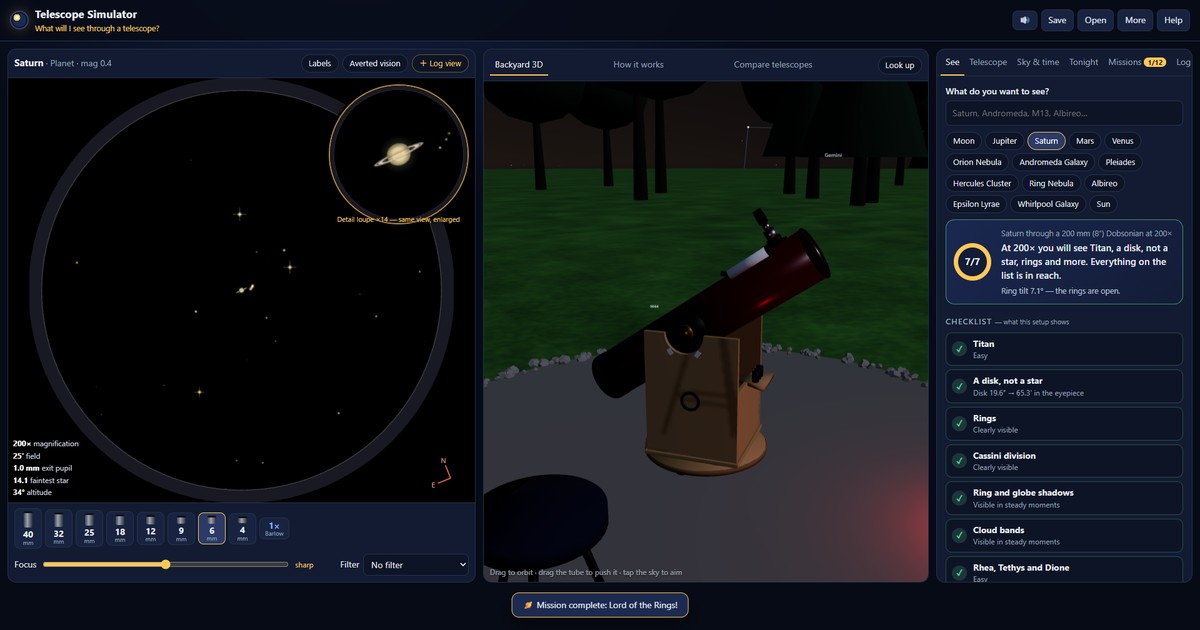
What will you actually see through a telescope? Pick a telescope or build your own, choose an eyepiece, set your location, time, light pollution and seeing, and point at the Moon, a planet, a galaxy, a nebula or a double star. The simulator draws the view at true scale and lists every detail you can and cannot see, with the reason and the change that would reveal it.

Telescope simulator showing a realistic eyepiece view beside a 3D telescope under the night sky

How to use the Telescope Simulator

  1. Pick a target under See. The answer card says what your telescope will show, and the checklist explains every detail: what you can see, and what would change it.
  2. Pick a telescope under Telescope, or build your own. Click an eyepiece under the view to change magnification.
  3. Set your sky: place, time, light pollution and seeing all change the view.
  4. Fix buttons in the checklist apply the change for you, a different eyepiece, a darker site, steadier air, or the time when a feature faces Earth.
  5. Compare telescopes side by side before you buy. Tonight lists the best objects for your scope now.

Controls: drag the eyepiece view or use the arrow keys to nudge the telescope; [ ] focus; mouse wheel over the eyepiece swaps eyepieces; Space plays time.

Positions come from standard ephemeris formulas. Visibility uses published approximations of telescope limiting magnitude, resolution and contrast thresholds; real eyes and nights vary. Faint field stars are synthetic but follow real star densities.